
Response to Compromised or Breach Email (in progress)
If a user has their email and/or password compromised, please follow the instructions below as quickly as possible to secure the account.
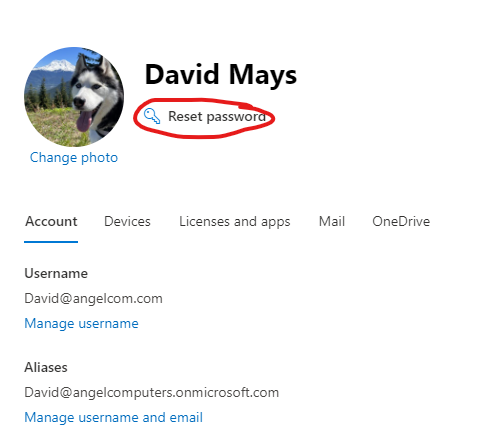
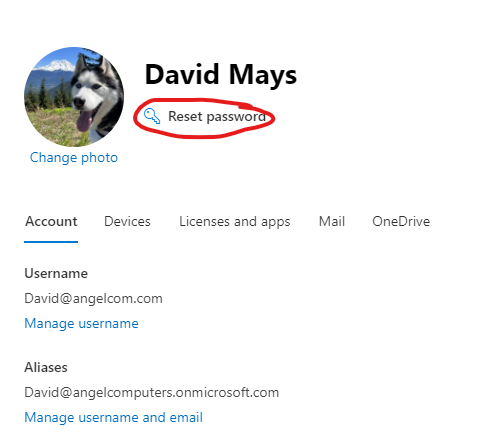
- Reset User Password in the Office 365 admin page, Admin Portal Users>Active Users
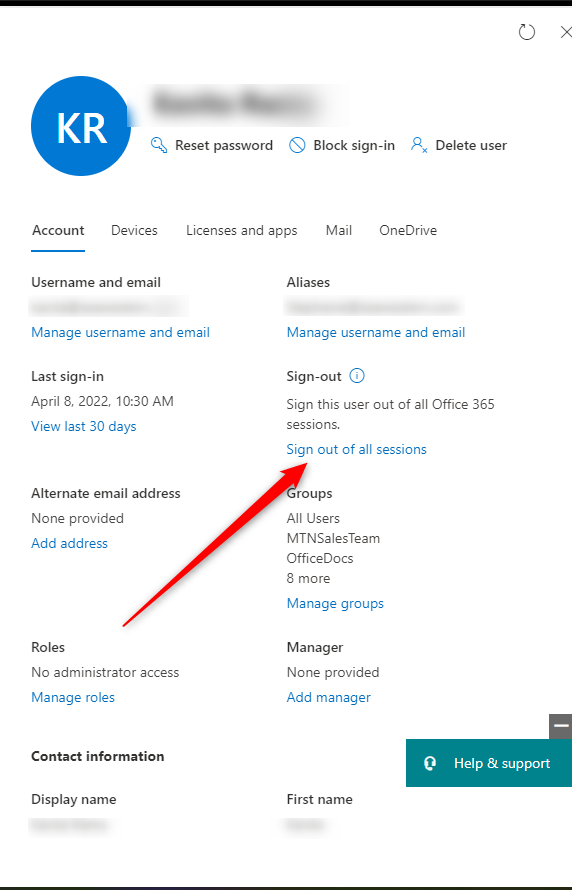
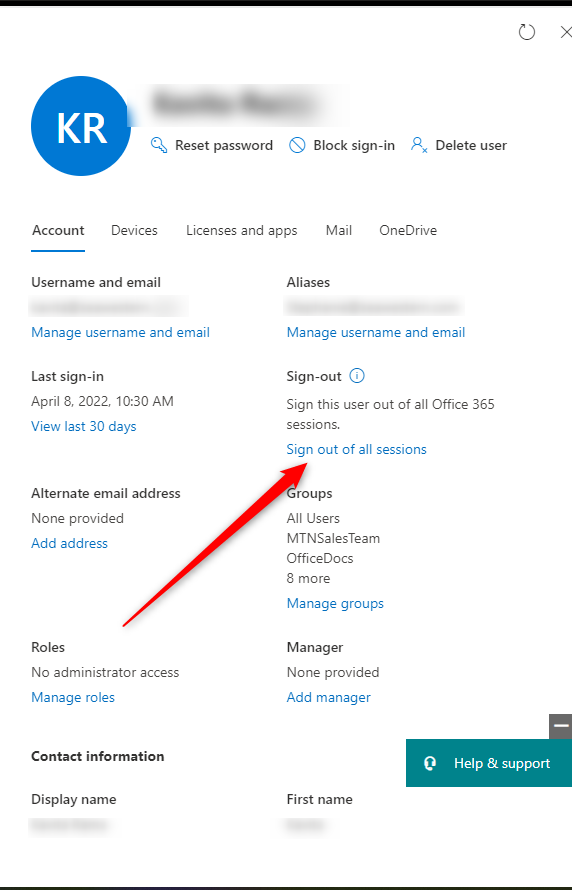
- Sign user out of every Office 365 session
3. Setup MFA
4. Reset MFA if it was already setup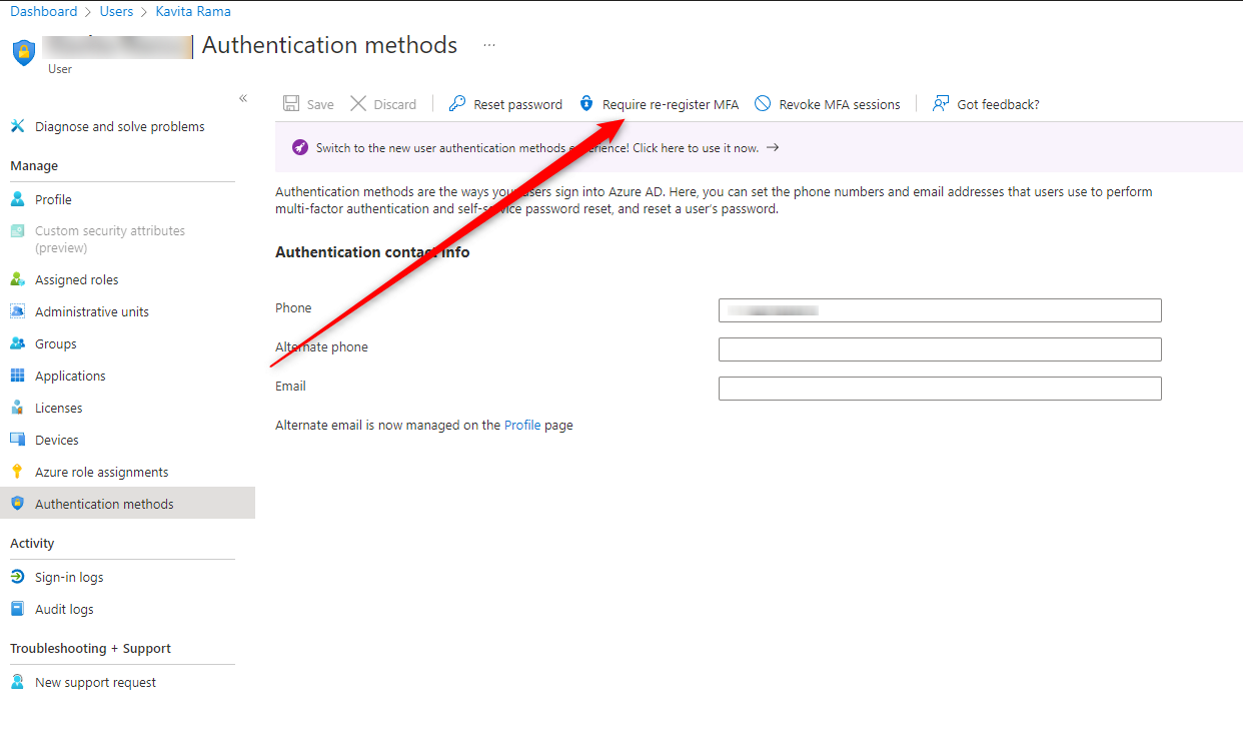
5. Look at sign in logs and take note of irrugular locations.
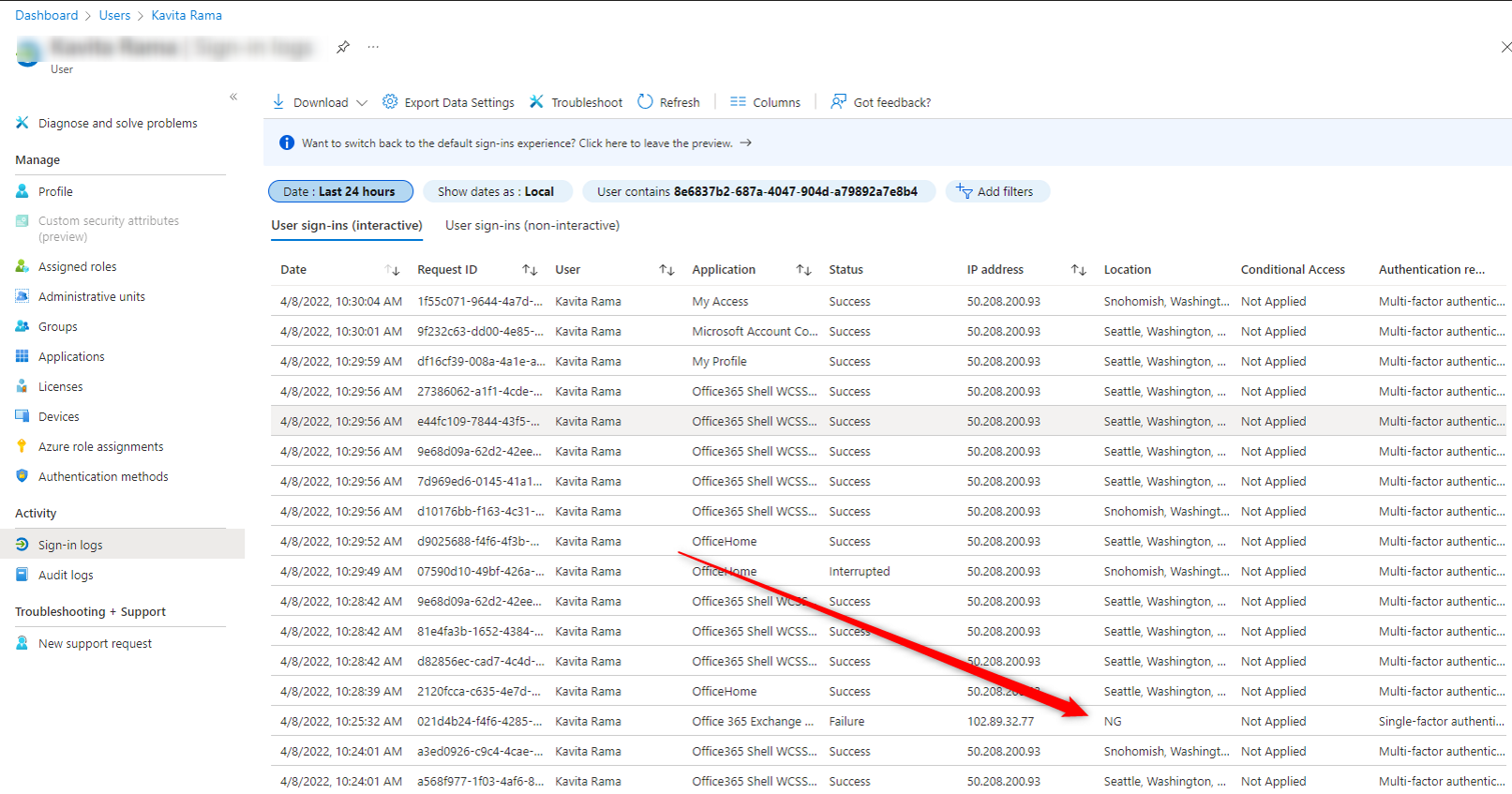
6. Look in Outlook or OWA for any odd rules redirecting emails or deleting emails.
7. Look for any Registered devices in Azure that aren't good devices
8. If user is a Global Admin go to next section
Was the User a Global Admin?
1. Verify if the user needs to be a Global Admin
2. Remove all unnecessary Global Admins
3. Look for any outbound connectors in Exchange that don't belong
4. Look for any rules in Exchange that don't belong
5. Verify all users have MFA enabled